
How to Use the Bingwa sokoni App
Follow this easy step-by-step guide to set up your app, turn on your settings, choose a package, and view your sales.
1. If Google Play Blocks the App
Because this app works in the background to handle tasks automatically, your phone might show a warning message when installing it. You can easily turn this off:
- Open the Google Play Store app.
- Tap your profile picture at the top right and click Play Protect.
- Tap the Settings gear icon at the top right corner.
- Turn off the switch that says "Scan apps with Play Protect".
2. If Settings Are Restricted
Android phones protect your security by blocking background tasks. If your phone stops you from turning on app settings, fix it by following these steps:
- Open your main phone Settings > Apps > Manage Apps.
- Find and tap on Bingwa Sokoni.
- Tap the three dots (⋮) at the top right corner of your screen.
- Tap "Allow restricted settings" and type in your phone password or PIN.
Ready to Start Automating Your Sales?
Download the official Android setup file directly to your phone. It only takes a minute to install and configure.
1 Starting the App
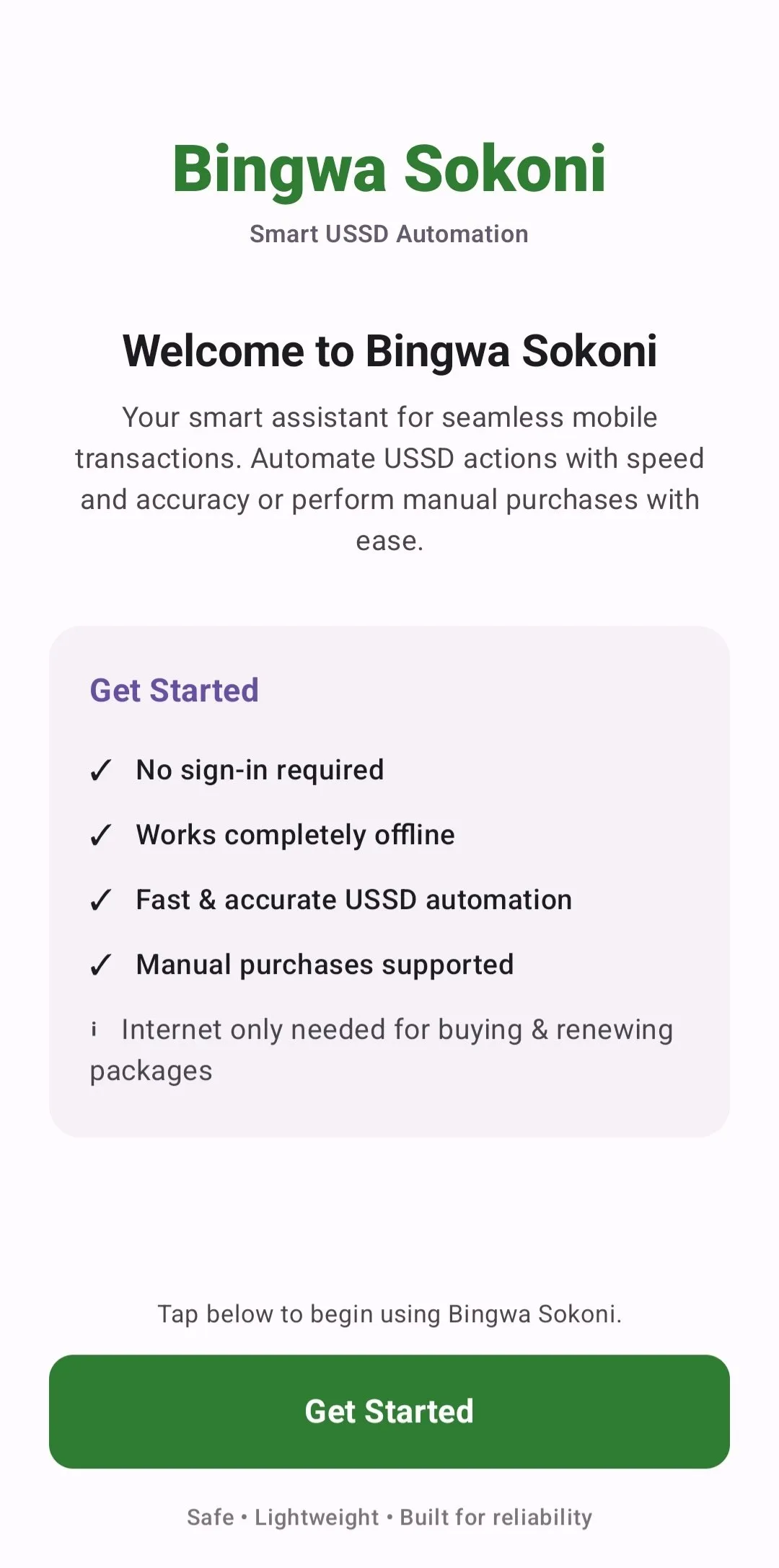
Welcome Screen
When you open the app for the very first time, you will see a welcome page. Read the simple rules on the screen before pressing the button to move forward to the setup area.
2 Turning On Phone Settings
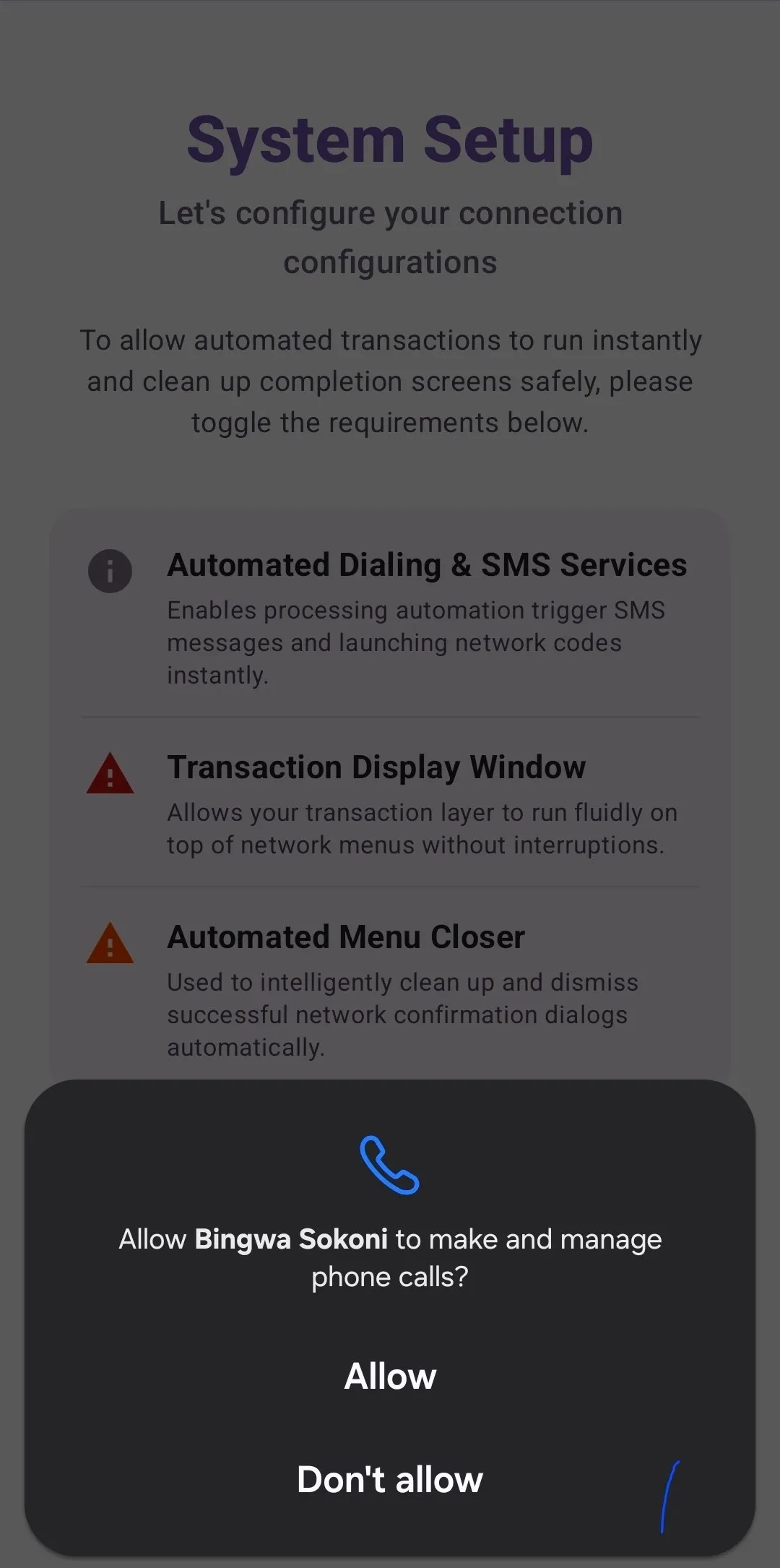
Settings Checklist
This page shows you a list of all the switches you need to turn on inside your phone so the app can complete tasks for you.
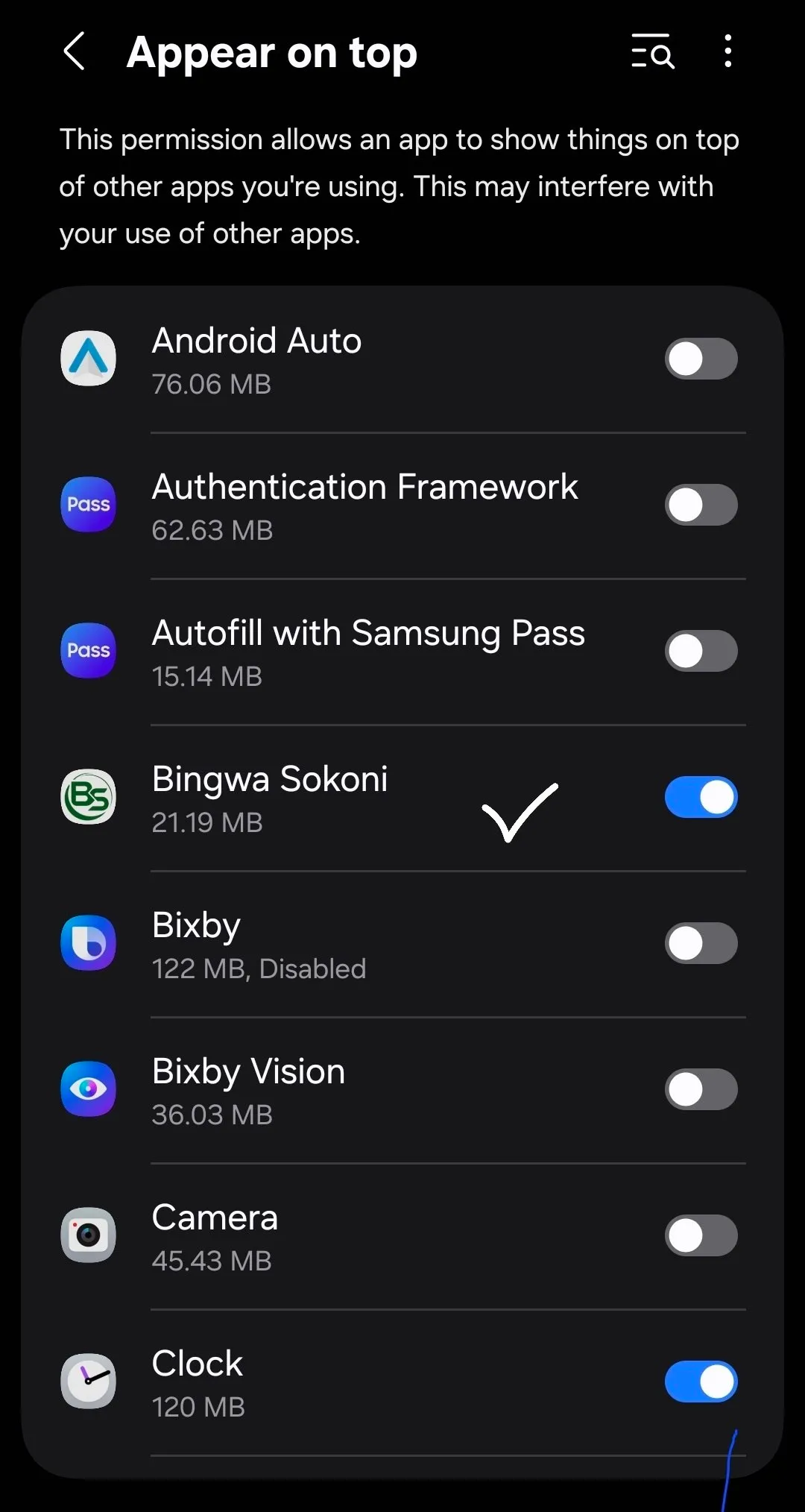
Display Over Other Apps
Turn this switch on to let the app show its automatic dial boxes on top of your screen while you are using other tools.
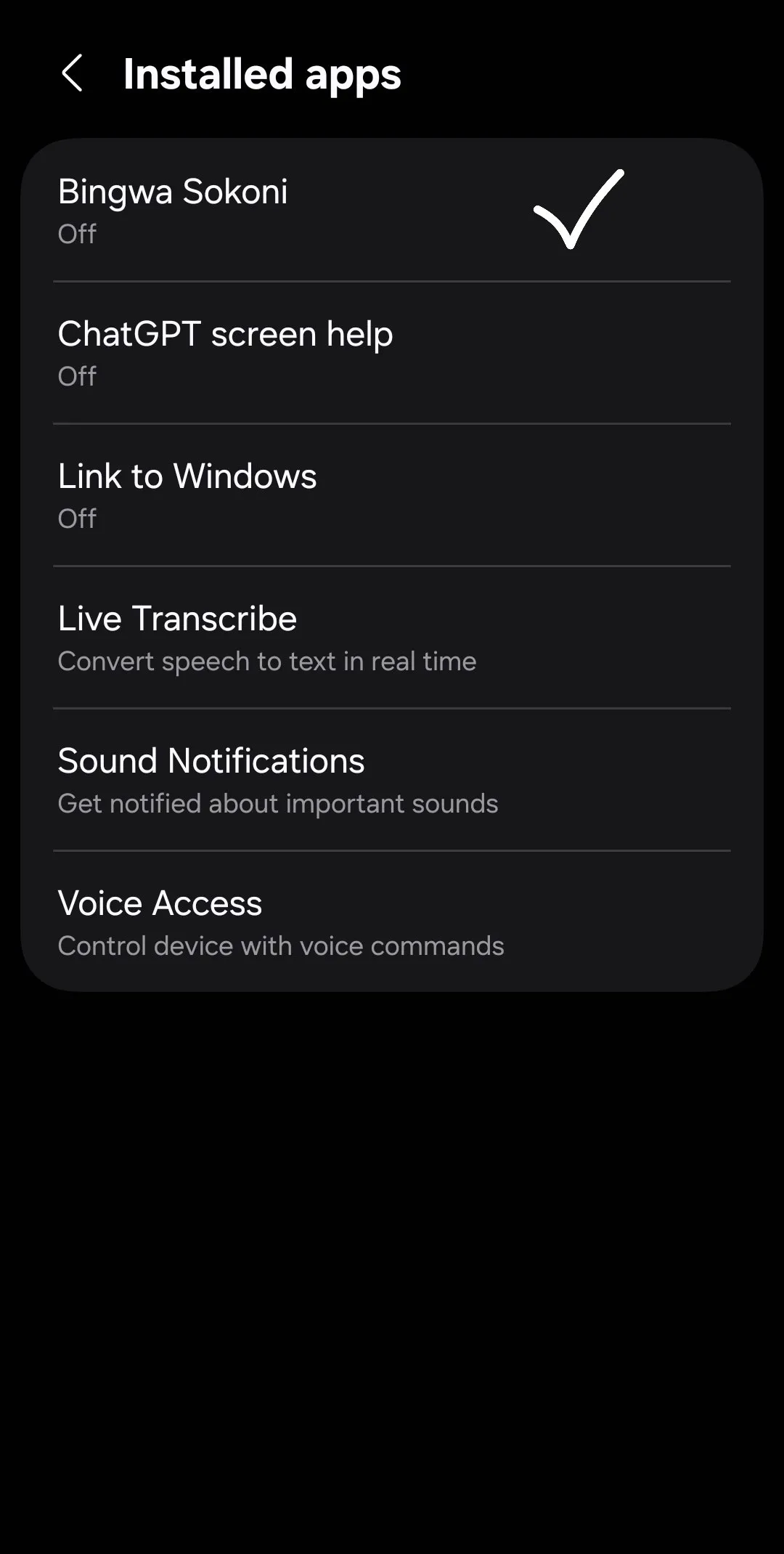
Accessibility Service
Go to your phone settings, look for Installed Apps, select this app, and click the toggle switch to enable automatic actions.
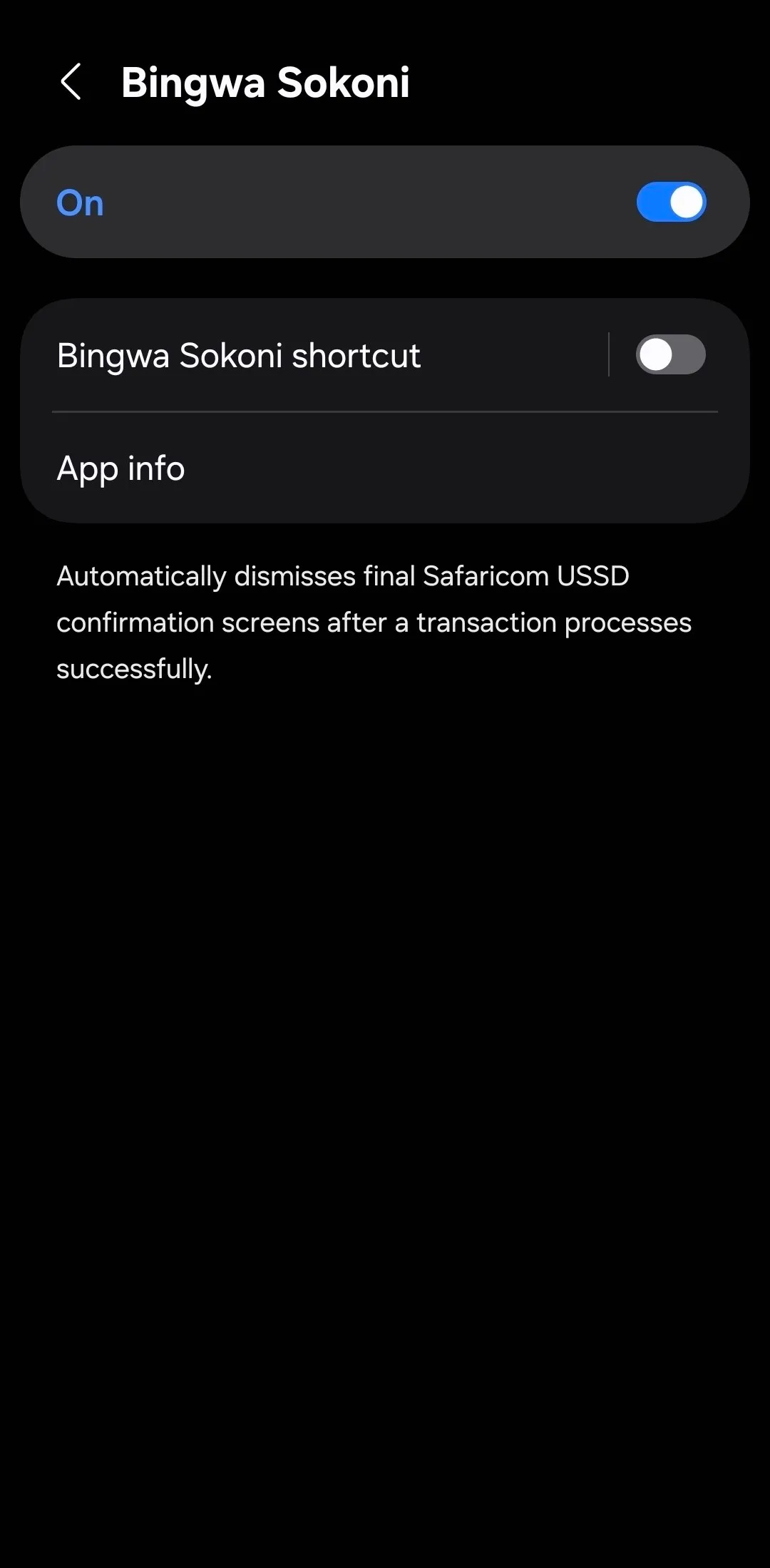
Turn On Automation
Use the master toggle switch inside the application to connect your service and start running processes instantly.
3 Selecting Your Package & Free Trial
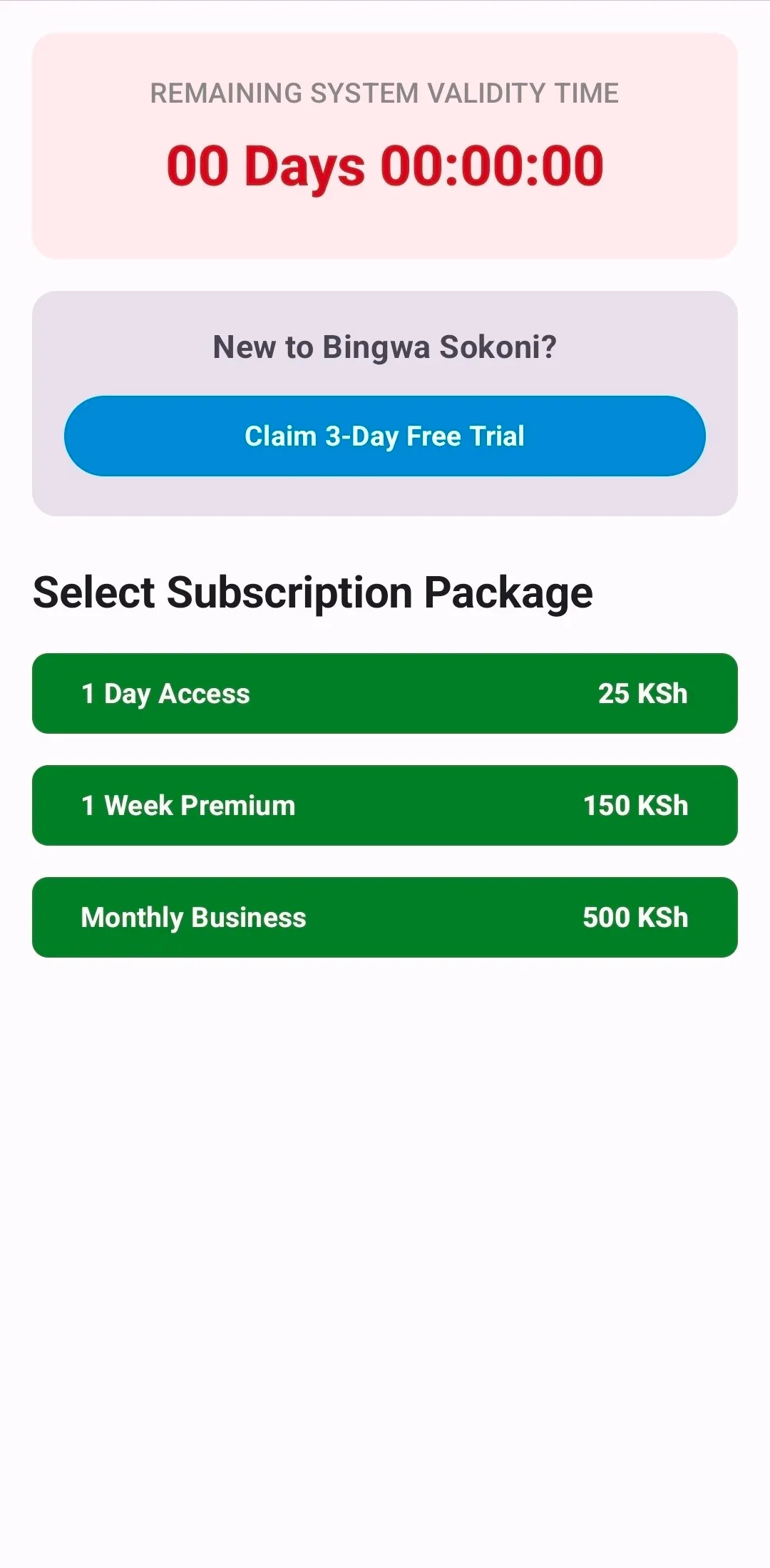
Activate Free Trial
Test out our premium features using the free trial automation app tier. Experience the instant speed of a zero configuration utility tool firsthand before committing to a paid license.
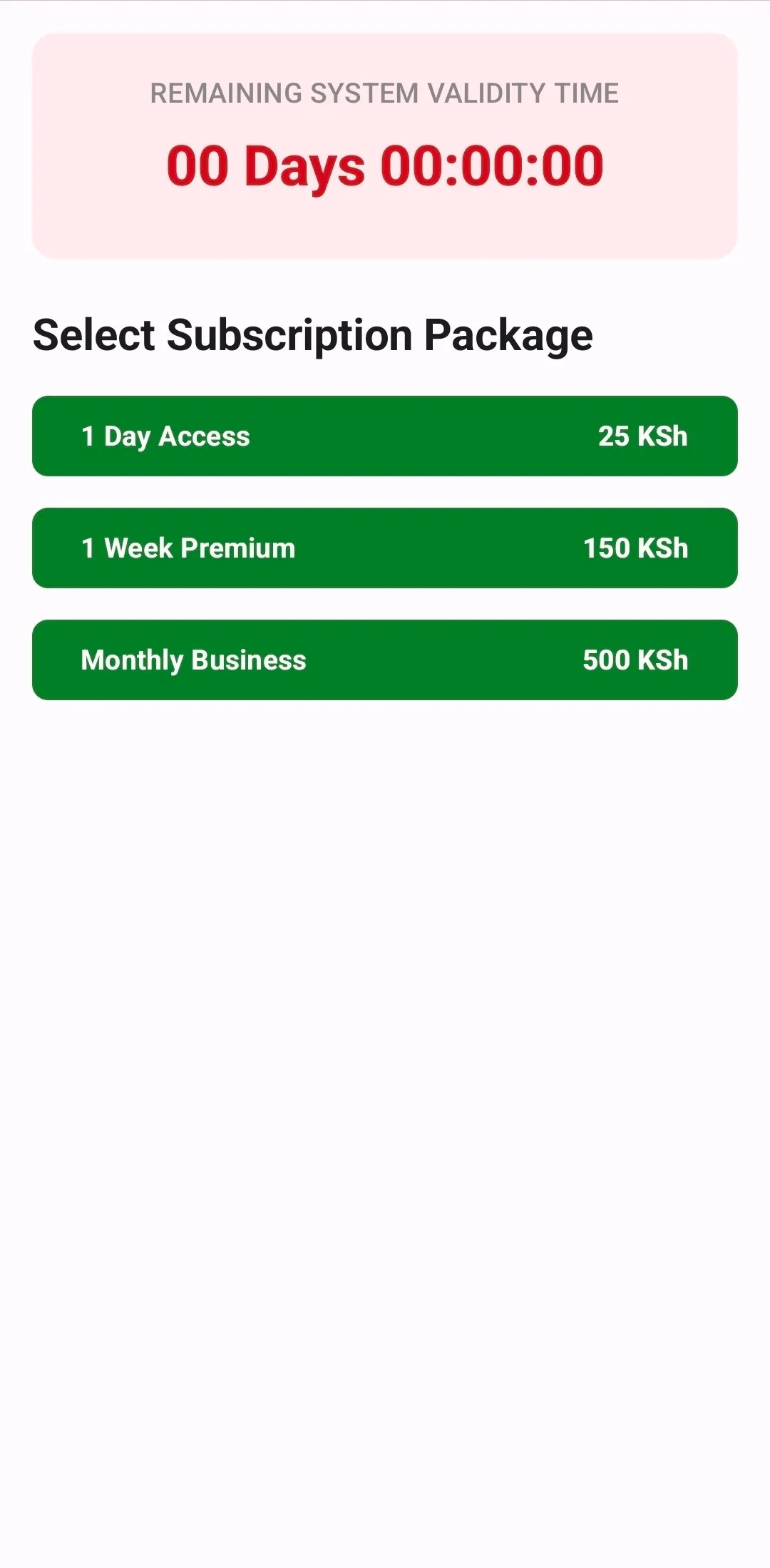
Pick a Time Plan
Review our business licensing packages tailored for high-volume traders. We offer affordable daily, weekly, or monthly subscriptions to maximize your daily Safaricom airtime bundles sales volume.
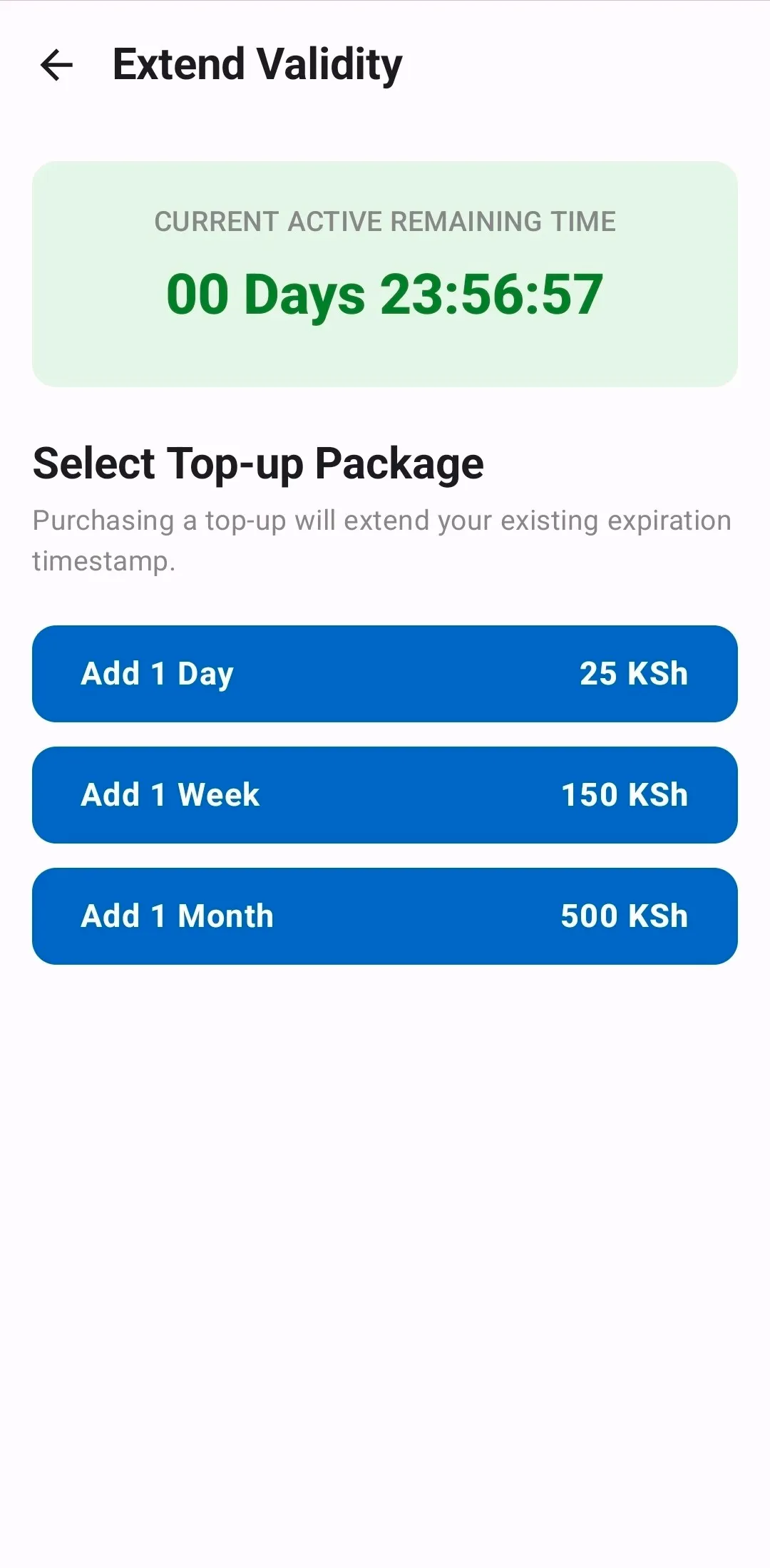
Add More Days
Keep your business running 24/7. Purchasing additional access days appends seamlessly to your existing validity, ensuring your backend system retains continuous, uninterrupted uptime.
4 Paying with M-Pesa
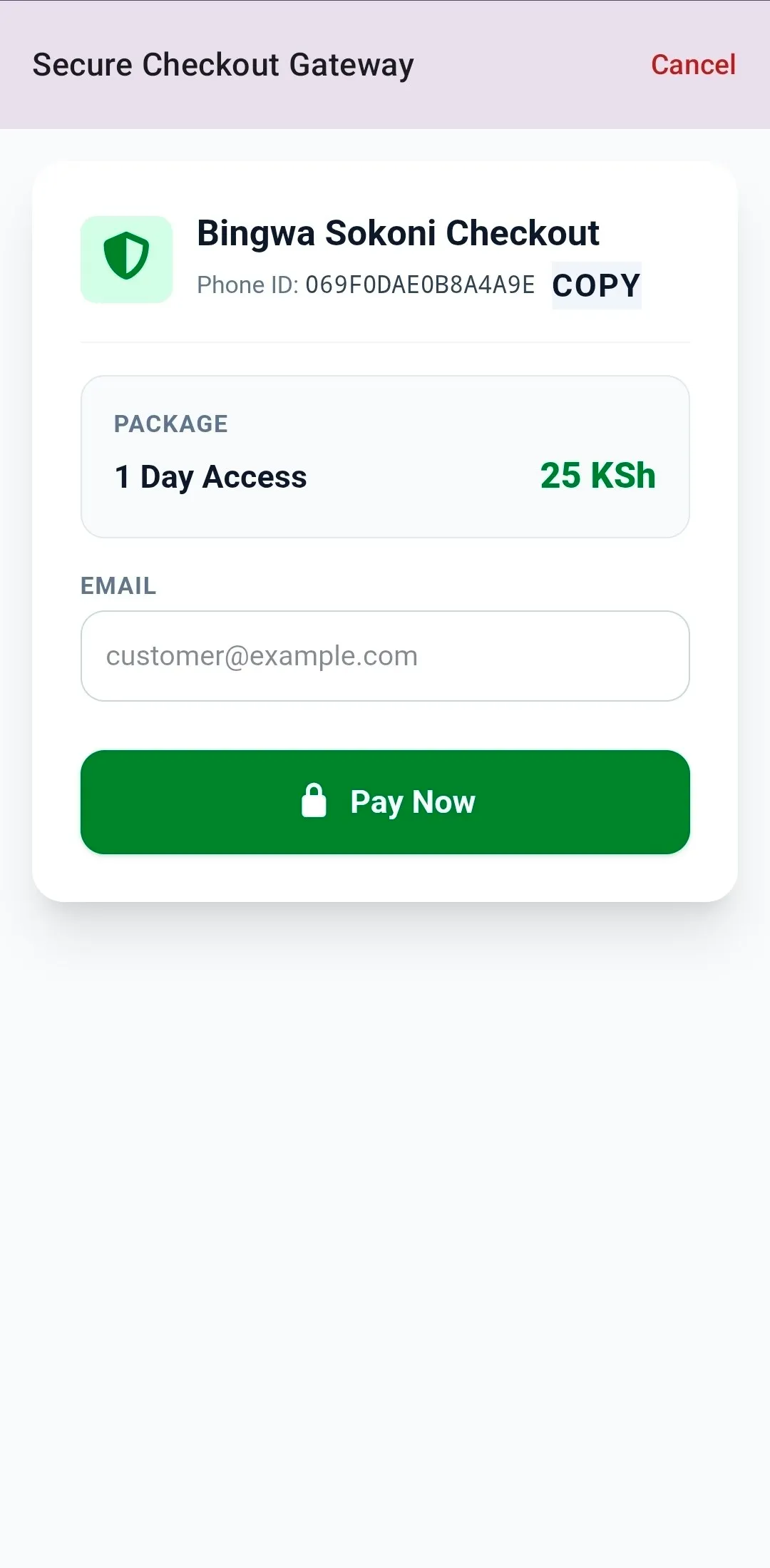
Enter Your Information
Type in your active email address next to your phone details. This keeps your records safe and links your account directly to your physical smartphone device.
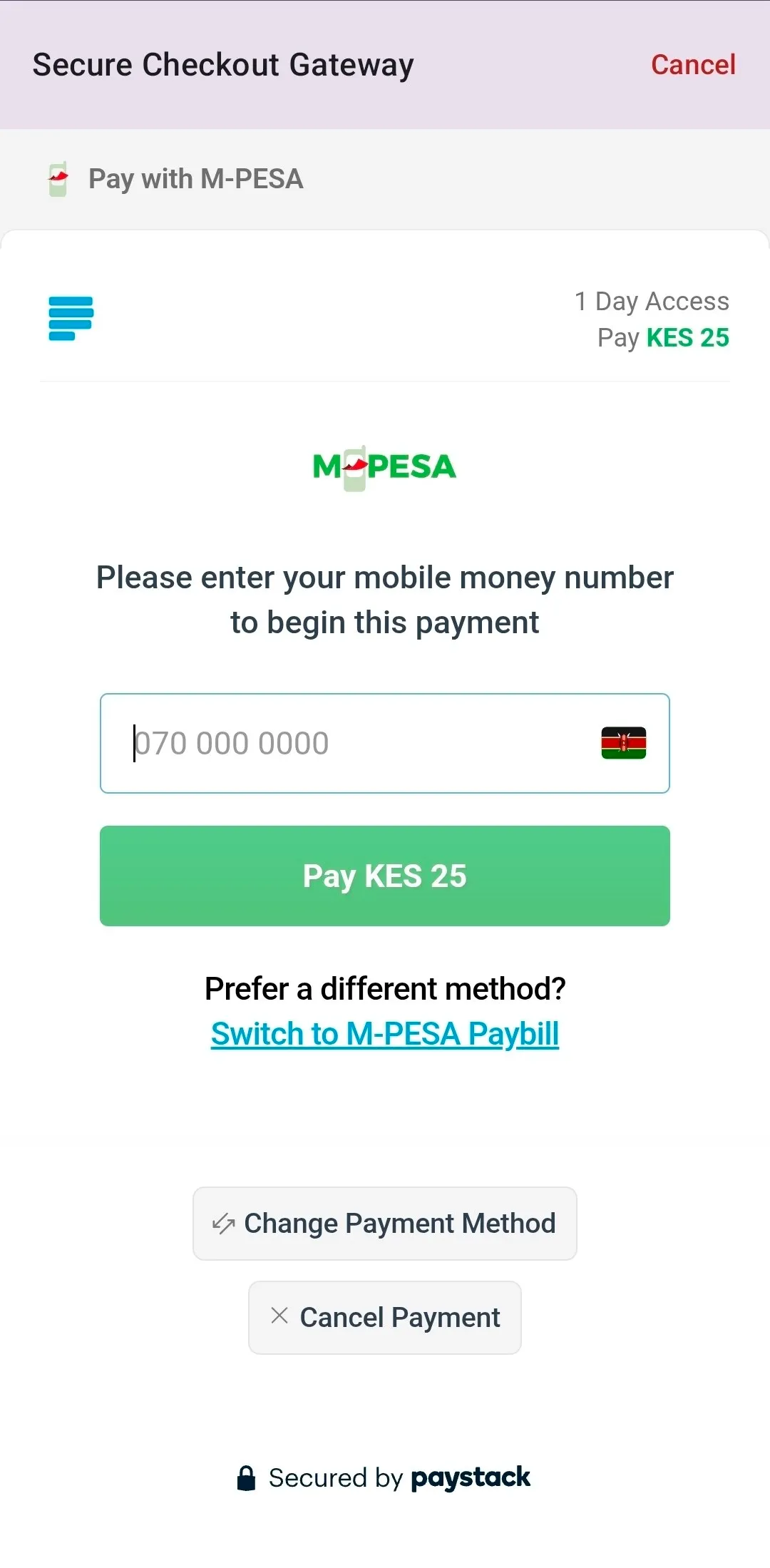
M-Pesa STK Push Box
Type your M-Pesa mobile number here. The app will immediately send an automatic payment box to your phone screen asking for your PIN to finalize the purchase securely.
5 Your Main Dashboard Overview
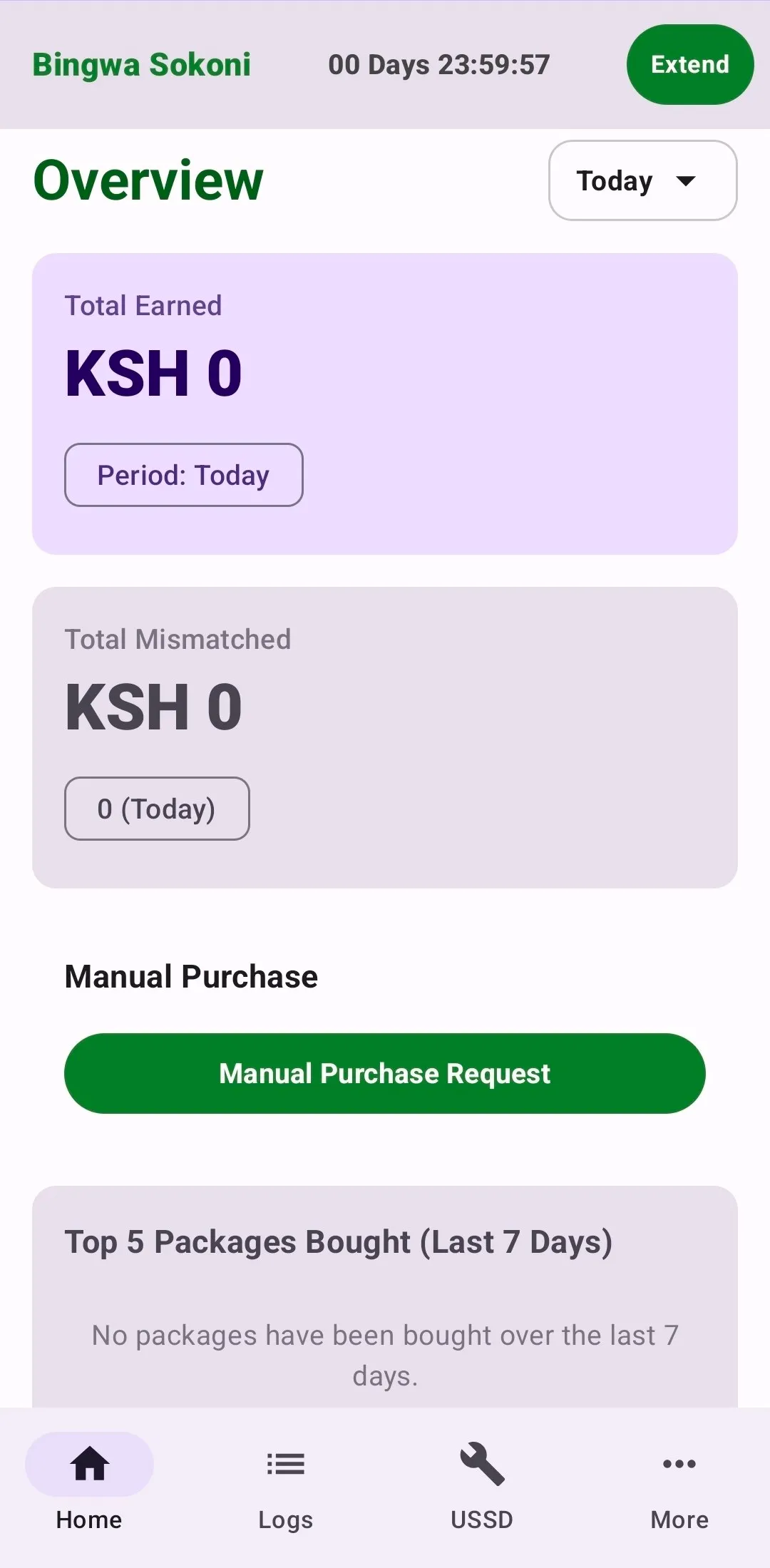
The Home Page
Once you finish your payment, you will land on this main page. It keeps track of your daily work, showing you total money earned, active balance remaining, errors, and days left on your subscription plan.
6 Using Other Pages in the App
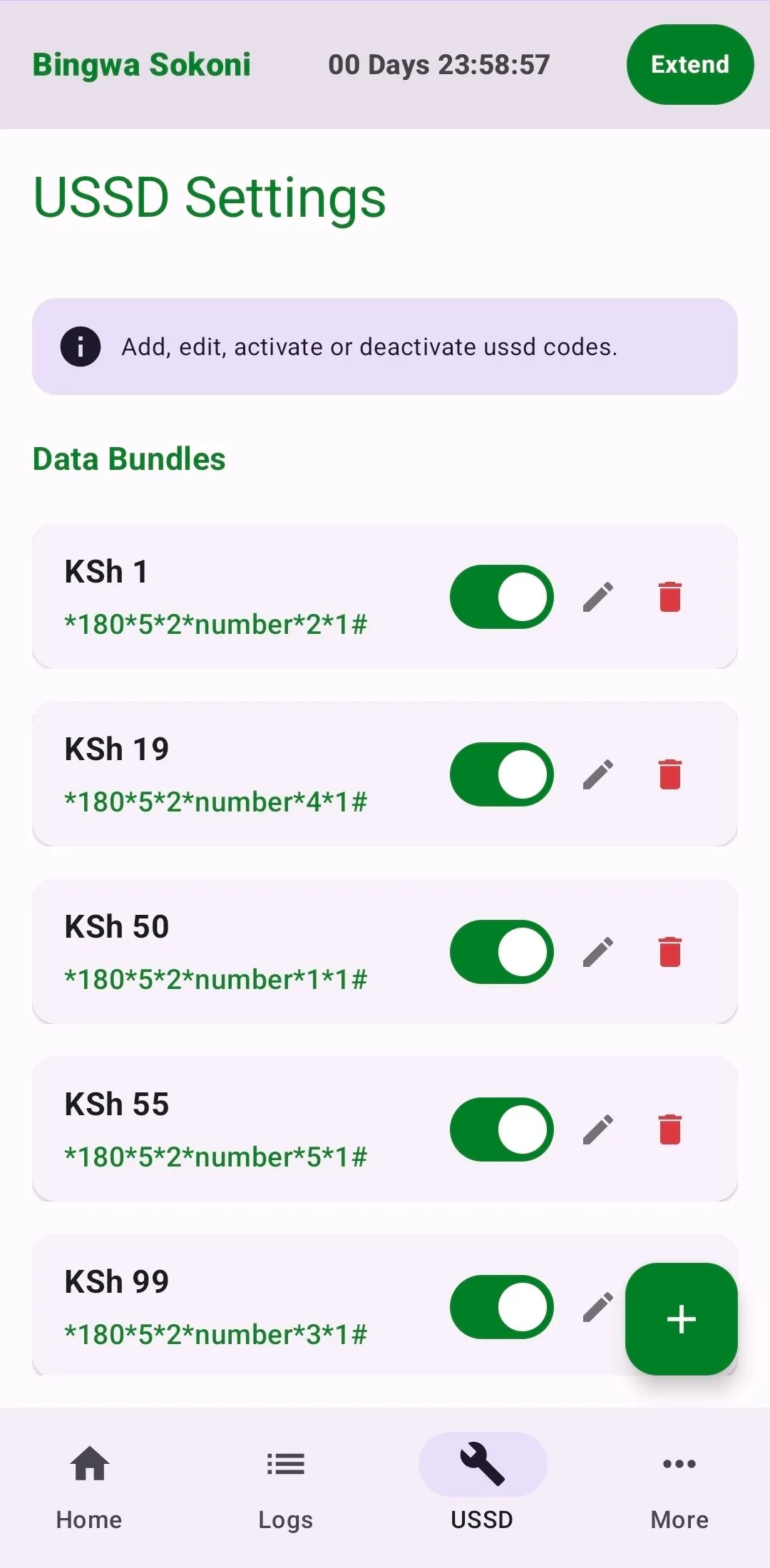
USSD Settings
Set up the exact code strings used by your SIM card to load individual bundles.
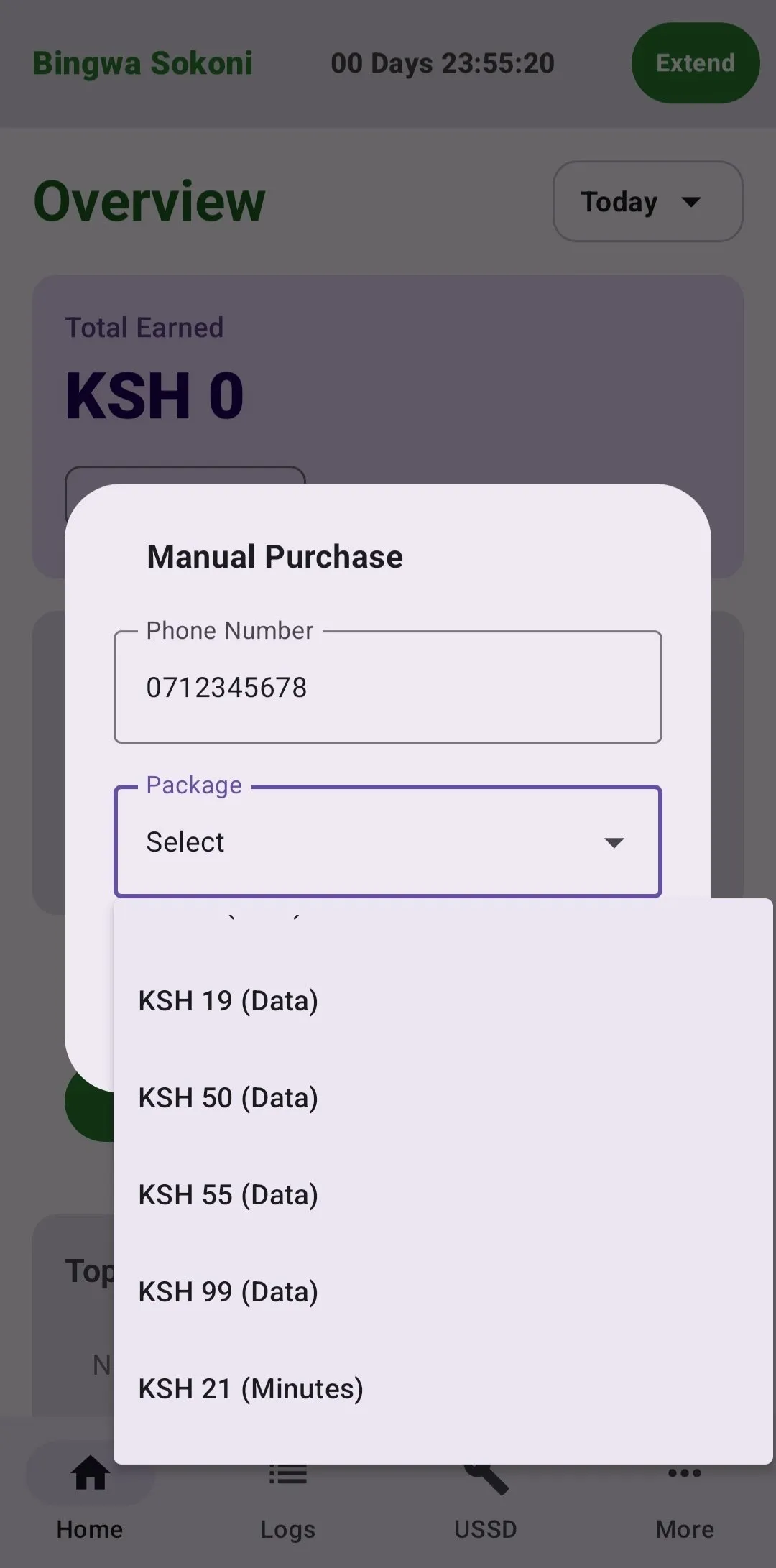
Manual Requests
Manually type in a client's phone number to trigger a transaction whenever needed.
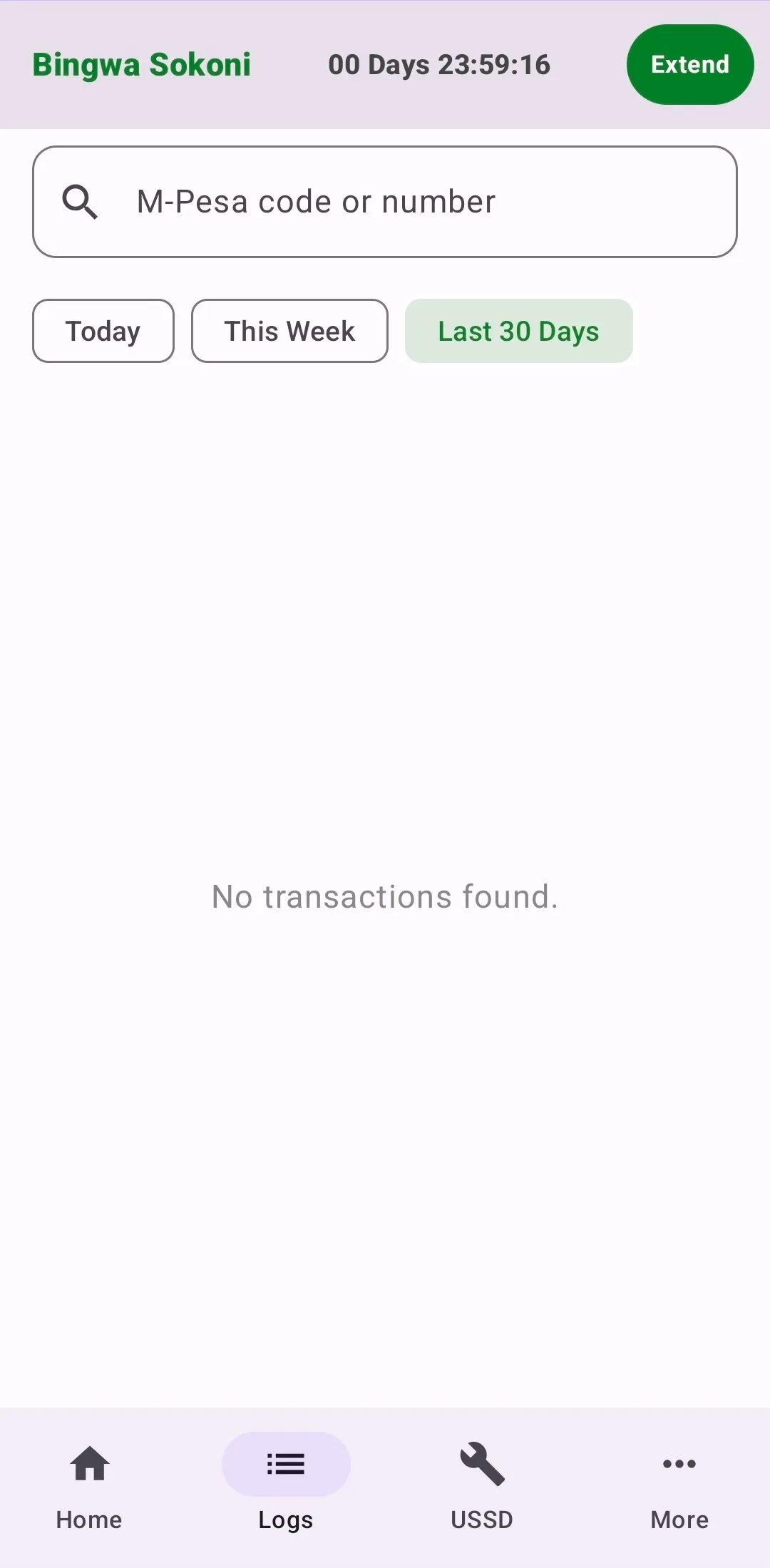
Transaction History
View past message logs and receipt times to check if any tasks had problems.
Works on Locked Screens
As long as your subscription package is fully paid for and active, the automation hub will successfully continue to run and process tasks even when your smartphone screen is completely locked.
Completely Offline Operations
The application performs its daily automation tasks completely offline without requiring an internet plan. The only time your phone must have an active internet connection is when you are buying or extending a subscription package.
Frequent Bug Fix Updates
We release new software updates regularly to fix random system errors and performance bugs. Please make it a habit to check for updates frequently to ensure your automation features remain completely stable.
Having Issues?
If you experience any technical difficulties, transaction errors, or setup problems, you can contact the system administrator immediately for assistance.